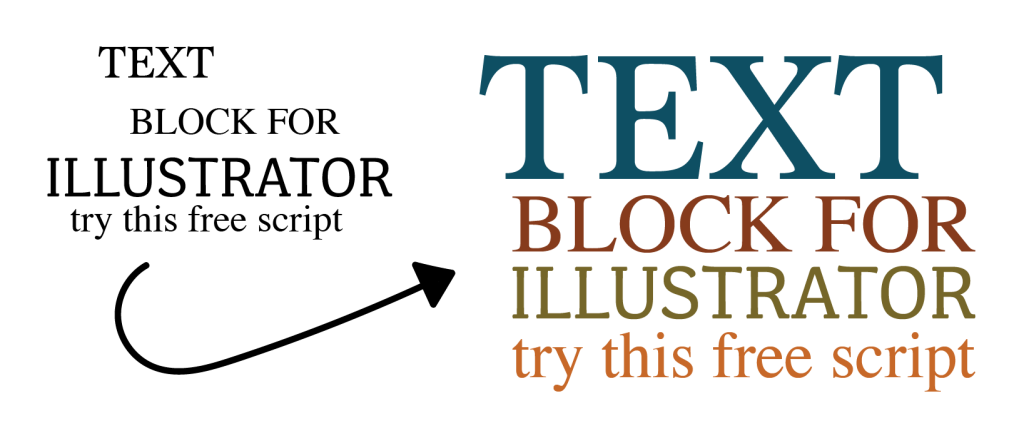
If you’ve ever spent 20 minutes manually resizing individual lines of text to make them all the exact same width for a logo or a poster… stop. Just stop.
TextBlock.jsx and it’s honestly a game changer for layout work. You just select a bunch of random text frames, tell the script how wide you want the block to be, and BOOM. It scales every line perfectly so the edges line up like a clean rectangle.
Why it’s actually good:
- It’s “Live”: Most scripts like this turn your text into shapes (outlines), but this one keeps the text editable so you can fix that one typo your client forgot to mention.
- Sorted for you: It sorts your text from top to bottom automatically, so no weird overlapping mess.
- Precise AF: You can put in “300pt” or “10cm” or whatever units you use, and it just works.
Quick How-to:
- Grab 2 or more text frames.
- Run the script.
- Enter your width and the spacing you want between lines.
Done. Go grab a coffee with all that time you just saved.